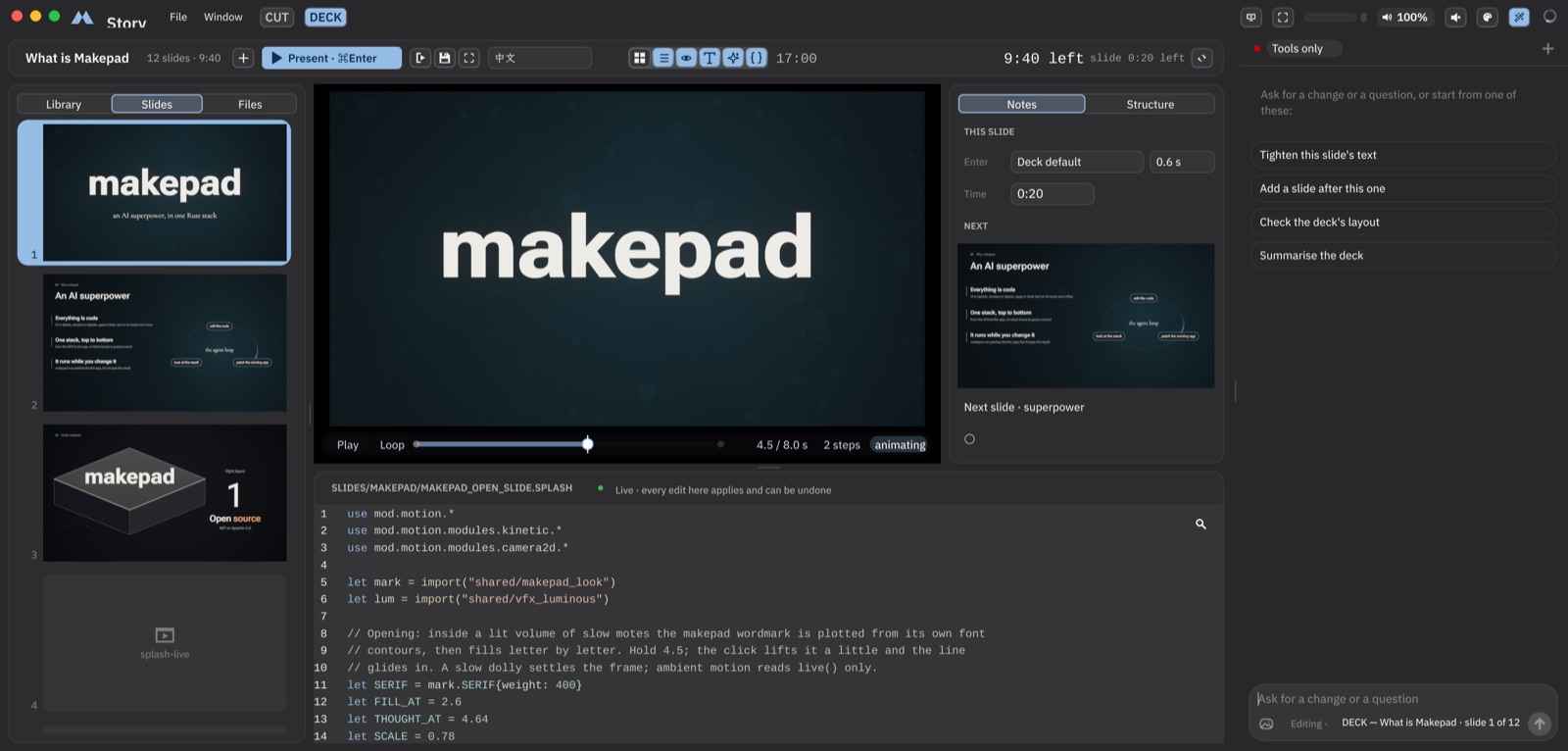
Story's DECK page: the slides on the left, the current slide playing, the presenter notes and the next slide, and the slide's script below
Story's DECK page with a twelve-slide talk. Each slide is a short animated script, edited live under the preview; the AI chat is on the right.

What it does today

Who it is for

People who give talks and make explainer videos and product demos, and want the deck and the video in one place.

Open source

Story is open source and free to run in Makepad Runner. It is built on Makepad, which is open source on GitHub.

Get Story

  1. Install Makepad Runner. On macOS or Linux, paste this line into a terminal: curl -fsSL https://makepad.nl/runner/unix | sh On Windows, download the Runner from makepad.nl/runner. The first start downloads Rust and builds the Runner on your computer, which takes a few minutes.
  2. Press Story's tile. The Runner downloads its source and compiles it as it starts. Run the Runner again at any time to update.
  3. Change it if you want. The Runner opens a terminal tab with the coding agent you already use, working on Story's source; every file it saves is patched into the running app.
Get Makepad Runner

Plans

Fab, Sandbox, Scope and Story are open source and free to run in Makepad Runner. A paid plan buys our time: your feature requests are built first, and a company also gets support from the team.

One plan covers Fab, Sandbox, Scope and Story.

Free

$0

For everyone.

  • Open source
  • Runs in Makepad Runner
  • Help from the community on Discord
Get Makepad Runner

Company

$50 / month

For a company.

  • Everything in Free
  • The high-priority feature queue
  • Support from the Makepad team
Ask for Company

Paid plans start by email: write to info@makepad.nl with the plan and the product, and we reply with the next steps.